
Roblox MOD APK 2.741.1061 (Mod Menu)
Roblox Corporation
Mod Menu Game · Online
Listing updated Oct 1, 2026 View on Google Play
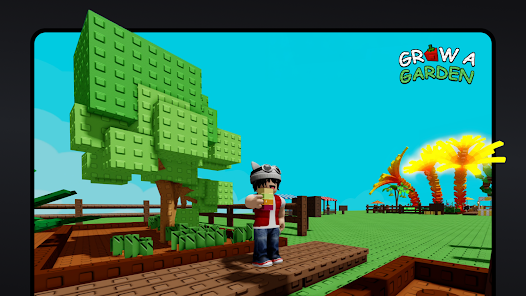
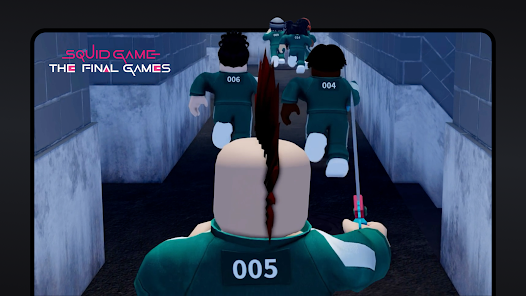
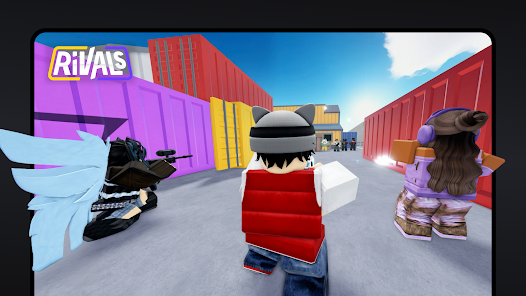
About this game
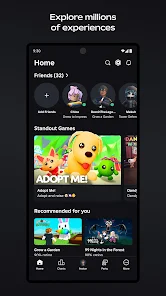
People often ask “what kind of game is Roblox?” and the honest answer is that it isn’t one game at all. It’s a platform where other people build games, called experiences, and you wander between them with the same avatar. One minute you’re running an obstacle course, the next you’re running a pizza shop or exploring a haunted house. That variety is what has kept it so popular for so long, and it’s also why a little preparation helps, especially if kids are involved.
Here’s a practical guide to getting set up, finding your way around and using the app sensibly.
Start with your avatar
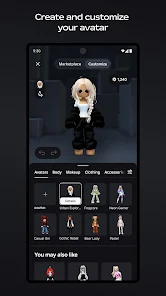
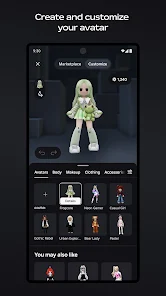
Before you jump into anything, spend a few minutes on your avatar. On mobile, you’ll find it by tapping “Avatar” in the bottom menu. From there you can change clothes, accessories, hair, skin tone, body style, faces, animations and emotes.
The marketplace offers plenty of free and paid items, so there’s no need to buy anything to look good. Pick something that feels like you, since the avatar follows you from experience to experience and becomes your identity across the whole platform.
Take a look at what other people are wearing, too. Seeing combinations you wouldn’t have thought of is a great source of ideas, and it shows how much personality a few well-chosen items can add.
Explore without overthinking it
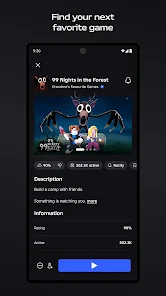
Every experience is made by another user, so quality varies a lot. Some are polished and others are rough, and the best way to find what you like is simply to try a few. If one doesn’t grab you in a couple of minutes, move on without guilt.
Look for experiences that suit your mood. Do you want something relaxed, competitive or creative? Having a rough idea saves you from scrolling aimlessly, and it makes it much easier to find games worth coming back to.
Keep a short list of favorites as you go. Finding the same few experiences again is much easier than rediscovering them, and it gives you a reliable set of go-to choices for different moods.
Play together
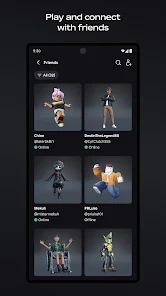
The platform really comes alive with friends. Joining the same experience lets you chat, team up and share the silly moments that make a session memorable. A game that’s mediocre alone can be a blast with the right people.
Agree on a plan before you start. Decide which experience you’ll play and for how long, and keep an eye on the clock. A shared, planned session tends to be more fun than hopping around while everyone waits for the other person to pick.
Know how chat and friends work
Chat is available between age-appropriate users, and between trusted friends who are playing the same experience. When people from different age groups become trusted friends, they can chat and collaborate. The platform says all communication is monitored.
It’s still worth being sensible. Don’t share personal details, and treat anyone you don’t know with the same caution you’d use online anywhere else. Learning to use the block and report tools early is one of the best habits you can build.
Talk about it openly with younger players. Explaining why you don’t share personal information, and what to do if something feels wrong, makes the rules feel like common sense instead of restrictions.
Parents: set the controls early
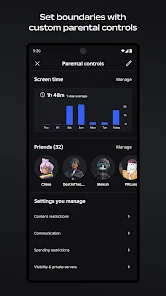
There’s a built-in parental controls system that covers content restrictions, chat settings, spending limits and privacy. Everything is protected by a four-digit Family PIN, so settings can’t be changed without you knowing.
For younger players, parents can limit screen time and spending, block specific experiences and review their child’s friends list. Spending ten minutes setting this up on day one is far easier than trying to fix things after a problem comes up.
Revisit the settings as your child grows. What suits a young player won’t suit a teenager, and a quick review every so often keeps the controls appropriate without being heavy-handed.
Spend Robux on purpose
Robux is the platform’s virtual currency, and it sits behind a lot of what you can buy, from avatar items to extras inside experiences. It’s easy to treat it like play money, but it’s tied to real purchases.
Decide a limit before you start. A small, planned budget keeps things fun, while unplanned spending tends to lead to regret. If a child is playing, using the spending limits in parental controls is a simple way to stay in charge.
Remember that free options are everywhere. A lot of the fun here costs nothing, so there’s rarely any pressure to spend to enjoy a session or to keep up with what others have.
Want to build? That happens on a computer
One of the best things about the platform is that anyone can create. Creators use a free creation tool called Studio and a scripting language called Luau to build their own worlds. Studio isn’t available as a native app on Android, so serious building usually happens on a computer.
That doesn’t mean you can’t dream up ideas on your phone. Playing lots of experiences and noticing what makes them work is a great way to learn, and when you’re ready to build, the tools are free and waiting.
Start tiny if you do take the leap. A simple obstacle course teaches the basics of building and scripting, and finishing something small is much more motivating than abandoning something huge.
Who it’s for
If you like variety, enjoy playing with friends and want a place where you can both play and create, there’s a lot to enjoy. It suits people who like to explore and don’t need a single, structured game to hold their attention.
If you prefer one polished experience with a clear story, you may find the platform scattered. It’s best approached as a big playground, with a sensible plan for chat, spending and screen time.
Whatever your reason for installing, take it slowly at first. Set up the controls, explore a few experiences and find out what you enjoy. The platform is big enough that there’s almost always something that fits, once you know where to look.
One platform, a thousand games, your choice
That’s the real appeal. There’s no single path to follow, no one right way to spend your time. You can dress up, race, build, role-play or just hang out, and the next experience is only a tap away. The freedom is exciting, and it’s also why a little structure helps.
If you’re thinking about installing it, take a few minutes to set up your avatar and, if a child is playing, the parental controls. Then explore slowly, try a few experiences and keep what you like. Treat it as a big playground, and it has a lot to offer.
Updated on Oct 1, 2026
What's new v2.741.1061
Mod features
- Mod Menu
Changes in this version
- To ensure Roblox runs better, we release periodic updates. These updates include bug fixes and improvements to speed and reliability.
Data & permissions
Before installing any APK from outside Google Play, review what this game asks for on Android.
- Internet
- Storage
- Notifications
Version history
- v2.741.1061 Oct 1, 2026 Current
Frequently asked questions
What types of games can I play in Roblox?
Roblox offers a vast library of user-generated games across multiple genres, including adventure, simulation, role-playing, and more. Each game is created by the community, so you can find unique experiences ranging from obstacle courses to virtual hangouts. The variety constantly expands as developers add new content.
Can I play Roblox games on different devices?
Yes, Roblox supports cross-platform play, allowing you to join games from Android, iOS, PC, and consoles. Your progress syncs across devices when logged into the same account, so you can switch seamlessly between platforms.
Do I need an internet connection to play Roblox?
Roblox requires an active internet connection to access its online multiplayer games and social features. Since all content is hosted on servers, offline play isn’t supported.
Is Roblox free to download and play?
Roblox is free to download, and most games are free to play. Some experiences offer in-game purchases or premium memberships for additional perks, but you can enjoy many games without spending money.
How do I find new games in Roblox?
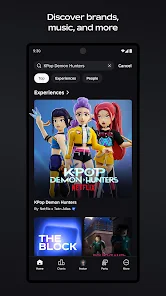
Browse the Discover section to explore trending, recommended, or genre-specific games. You can also search by keywords or check curated lists. Popular games often appear on the homepage, making it easy to find new experiences.
Ratings and reviews
Reviews
No reviews yet. Be the first to share your thoughts!